Nextcloud Hub 26 Spring for AI and automation: Assistant, Context Agent and Windmill
· By Bee Flow · 4 min read
Nextcloud 34 puts the Assistant next to documents in Office and in the mobile apps, gives Context Agent new tools, indexes e-mail in Context Chat and connects Flow to a stand-alone Windmill. What an administrator can switch on, with one worked event-driven flow.
Nextcloud released Hub 26 Spring, server version 34, on 9 June 2026 (release post, release schedule). We read the release post and the admin manual for 34 with one question in mind: what can an administrator switch on this month, and what does the automation part look like once a team starts using it? (Our notes on Hub 26 Winter cover the February release.)
The Assistant moves to where people work
Three changes bring the Assistant closer to the work itself. In Nextcloud Office, the Collabora-based suite gets a sidebar in which users can "chat with Nextcloud Assistant alongside the document". Euro-Office, which joins as a second default office suite, integrates the Assistant as well. On phones, the release post says "You can now chat with Nextcloud Assistant on mobile" (the client list names the iOS app for chat), and on iOS and Android you can share any text to the Assistant from the context menu. In the browser the Assistant window can now be dragged and resized, so it can stay open next to another app.
Nextcloud writes that the Office chat, like all AI tools in Nextcloud, "is optional and fully configurable". You can roll each of these out at the pace your team is ready for.
Context Agent and Context Chat
Context Agent, the app that lets the Assistant take actions in your apps, gets faster replies, a "new tool to use Unified Search" and "a range of new tools" (release post). With the Unified Search tool the Assistant can find items across your Nextcloud in fewer steps. The Context Agent page of the admin manual adds that "all search providers in Nextcloud are also automatically available as tools", so the apps you already run widen what the agent can find. One set-up point from that page: the model behind Context Agent has to support tool calling.
Context Chat, which answers questions from your own documents, now indexes e-mail. Context Chat and the LLM2 app can both run on Kubernetes, which the Context Chat admin page describes as the way "to scale ContextChat to large instances". If you run a large instance and already operate a cluster, that is the part to plan for.
Two smaller items are useful for anyone writing an internal AI policy: users now see information about the provider behind the AI, and the release lists "EU AI act: required documentation" among the Assistant changes.
Flow connects to your own Windmill
For automation, the headline is one line in the release post: Nextcloud Flow has a "new integration with Windmill that supports standalone instances", next to an improved Approval app. The release also names two workflow AI agents: one checks whether a PDF form is completely filled, the other handles travel cost reimbursement.
The Windmill Workflows page of the admin manual walks through the set-up. You run Windmill as a stand-alone instance, enable the bundled webhook listeners app with occ app:enable webhook_listeners, install the Windmill integration app from the App Store and turn on pretty URLs. In Windmill, a workspace admin opens the workspace settings, goes to Native Triggers, picks Nextcloud and connects through OAuth with a Nextcloud admin account or an account with webhook admin rights. Once the status reads Connected, flows in that workspace can start from Nextcloud events and call Nextcloud through ready-made scripts.
The webhook listeners page lists file events such as NodeCreatedEvent, tag assignments, calendar changes, a submitted form in Forms and row changes in Tables. Webhooks are sent by background jobs, every five minutes by default. For flows that should react within seconds, the manual recommends at least four occ background-job:worker processes for the webhook job.
A worked example: travel expenses through Forms
This example is made up, but its building blocks come from the release and the admin manual. A team of fifteen files its travel expenses through a Nextcloud form with the trip, the amount and a photo of the receipt.
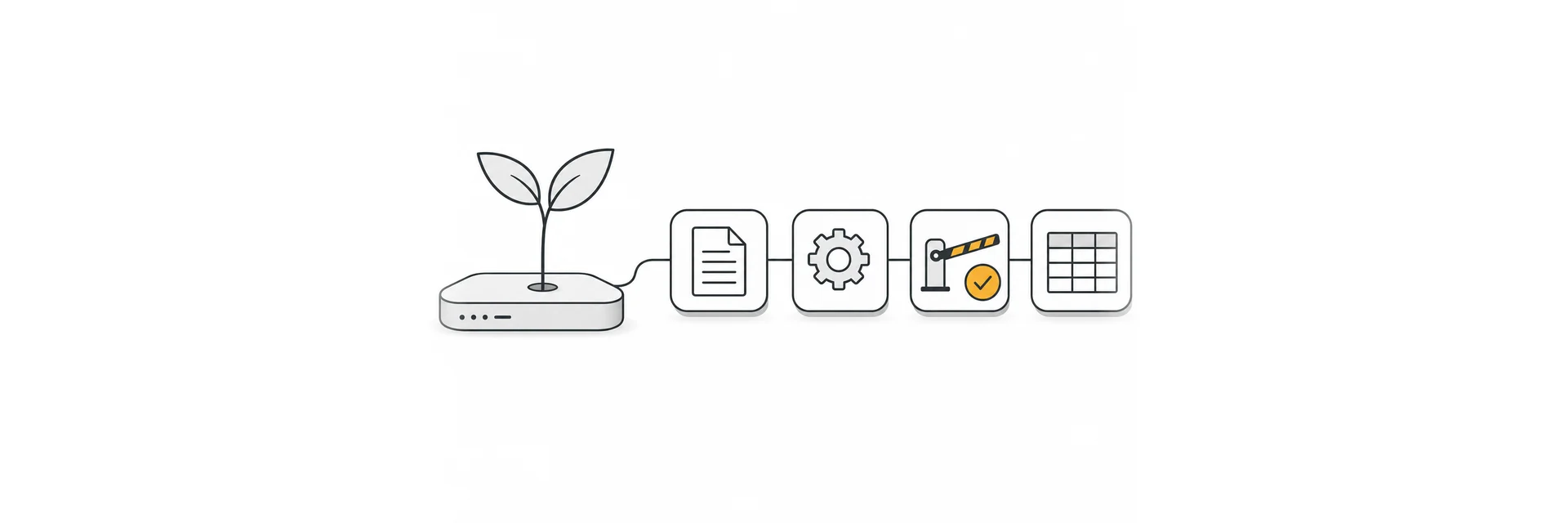
- The trigger is the Nextcloud event for a submitted form, with an event filter so that only this form counts:
{ "event.form.hash": "YOUR_FORM_HASH" }. - The first step reads the submission. Event data arrives in
flow_input, so the form's hash isflow_input.event.form.hash. - The second step passes the answers to Nextcloud's own AI as a task: a two-line summary and a check that every required field is filled. Output of earlier steps is available under
resultswith the step's letter, in the manual's exampleresults.e.submission.answers. - The third step is the approval. In the step's Advanced tab, under Suspend, you tick Suspend/Approval/Prompt. The manual suggests sending the approval link through Talk or a notification, and the approve_links app for a tidier approval page.
- Once approved, the flow adds a row to a Tables table for the bookkeeper and notifies the person who filed the claim.
One detail to get right: the temporary credentials a trigger passes on (flow_input.authentication.owner and flow_input.authentication.trigger) are valid for one hour. An approval can easily take longer than that, so give the steps after it a Nextcloud resource stored in the workspace.
Where Bee Flow fits in
Hub 26 Spring covers a lot of ground inside Nextcloud. Some teams also have work that reaches past it: a mailbox on another server, systems the office runs elsewhere, or a knowledge base that has to answer with the document it took the answer from. For that, our Nextcloud connector is an addition. It installs as an ExApp through AppAPI, people sign in with their Nextcloud session, and agents work in Files, Calendar, Deck, Mail and Talk with each user's own permissions. Knowledge bases answer with the source they used, automations can wait for a person's approval before anything is sent, and Privacy Shield checks prompts for personal data before they reach a model. Read more on Bee Flow for Nextcloud, or get in touch if you would like to try it next to your Windmill flows.