AI and automations in Nextcloud at the end of 2026
· By Bee Flow · 9 min read
What Nextcloud 35 offers for AI and automation, from the Assistant and Context Agent to the Ethical AI Rating, Windmill and webhooks. What to set up right, and when an external workspace fits next to the built-in tools.
Nextcloud 35, released on 16 September 2026 as Hub 26 Summer, gave the Assistant on-demand memories, reusable skills and agents that work in Mail, Deck, Talk and Tables, according to the release post. Its third maintenance release, 35.0.3, followed on 12 November 2026, together with 34.0.6 and 33.0.11 (release schedule). A good moment to take stock.
This is a map of the AI and automation features in Nextcloud 35 as the manuals describe them, of what to set up right, and of where an external workspace such as ours fits. Where one of our earlier posts goes deeper, we link to it.
Three major releases in one year
Nextcloud switched to season names with Hub 25 Autumn (Nextcloud 32, 27 September 2025) and shipped three majors in 2026: Hub 26 Winter (33) on 18 February, Hub 26 Spring (34) on 9 June and Hub 26 Summer (35) on 16 September. Nextcloud 32 reached end of life in September 2026. Nextcloud 36, Hub 27 Winter, is planned for 17 February 2027, a date the schedule still marks as draft.
Hub 26 Winter was about speed, with "faster responses in local AI apps, saving up to 10 seconds per prompt" and "five to eight times faster local AI transcription". Hub 26 Spring gave Context Agent a tool to use Unified Search and more tools for files, mail, tasks, forms and Deck. It also brought Assistant chat to the mobile apps, an Assistant sidebar next to documents in Office, email indexing in Context Chat and Kubernetes support for llm2 and Context Chat. Hub 26 Summer added memories, skills, agents in more apps, web search ("can even search the web and read articles for you"), OCR for "documents, receipts and even hand-written notes", subtitles for audio and recurring tasks such as a briefing at 8 AM.
The Nextcloud 35 user manual describes memory ("Toggle Remember this on a conversation to add it to the AI's long-term memory") and skills, which need Context Agent 2.8.0 and Assistant 3.5.0 or later. It also lists a DuckDuckGo search tool.
How the parts fit together
The Assistant is the interface, and it contains no model. Every feature schedules a task through the Task Processing API, and whichever provider app is registered for that task type does the work: llm2 or the OpenAI and LocalAI integration for text and chat, stt_whisper2 for speech, translate2 for translation.
Most local backends are ExApps, containers that Nextcloud runs through AppAPI, with HaRP as the recommended deploy daemon. Three ExApps carry most of the AI work.
llm2 runs a model inside Nextcloud on llama.cpp. It ships with Qwen 3.5 9B, Gemma 4 E4B and OLMo 3 7B Instruct, and asks for an NVIDIA GPU with at least 8 GB of VRAM, 12 GB of RAM and a CPU with AVX and AVX2. Context Chat indexes files into a bundled Postgres with vector support for questions about documents. Its embedding model can be any OpenAI-compatible service. Choose it before you install, because changing it later means a reinstall. Context Agent lets "Chat with AI" act, with tools for Calendar, Tasks, Contacts, Deck, Files, Forms, Mail, Talk, Tables and more, enabled per tool group by the administrator. It needs no GPU and works with any model that supports tool calling.
Context Agent is also where MCP lives in Nextcloud. It exposes its tools as an MCP server at /index.php/apps/app_api/proxy/context_agent/mcp/, authenticated with an app password, and under MCP Config it can use remote MCP servers over streamable HTTP. MCP servers for Nextcloud compares the options, and AI in Nextcloud with a local model covers llm2 and Ollama.
The traffic light
Nextcloud rates every AI backend in its Ethical AI Rating on three questions. Is the software open source? Is the trained model free to self-host? Is the training data available and free to use? "If all of these points are met, we give a Green label." Two points make Yellow, one Orange, none Red.
A colour belongs to a backend route. Text processing through llm2 is green. The same integration_openai app is yellow when it points at Ollama, orange when it points at hosted services such as IONOS or Mistral, and red against the OpenAI API. Context Agent is rated green and Context Chat yellow. Which colour your Assistant has depends on the provider you picked per task type, and the table in the AI overview doubles as an inventory for a DPIA, the data protection impact assessment the GDPR asks for.
The EU AI Act page adds that AI output is marked in the interface, in generated files and in agent actions such as an e-mail, and that "All interactions of users with AI in Nextcloud are retained in the database for observability and transparency." Worth knowing when you write your retention policy.
Automations: Flow, Windmill and webhooks
The automation overview in the 35 manual lists three routes. Flow is the built-in workflow engine for rules inside Nextcloud. Windmill handles larger workflows. Webhook listeners send events to "an external workflow orchestration tool of their choice", with Kestra, n8n and Budibase as examples.
The Windmill route has a new shape. Since Nextcloud 33, Windmill runs as a stand-alone instance next to Nextcloud instead of inside the Flow ExApp. The Windmill page has you install the integration_windmill app and connect a Windmill workspace over OAuth with an admin account. Hub 26 Spring announced this as a "New integration with Windmill that supports standalone instances". If the old Flow ExApp is still on your server, plan the move.
Under every external route sits webhook_listeners. It ships with Nextcloud, is enabled with occ app:enable webhook_listeners and is configured by an administrator or a delegated webhooks admin, through the OCS API or the Orchestration Gateway app (version 1.0.0, for Nextcloud 34 and 35). It delivers file and folder events, tag changes, calendar objects, Forms submissions, Tables rows and, with Mail installed, new, sent, flagged and deleted messages. The Hub 26 Summer post adds that Budibase can act on Nextcloud events through the Orchestration Gateway. The Bee Flow app registers its own webhook rows when you connect it, so you do not create them by hand (Bee Flow for Nextcloud).
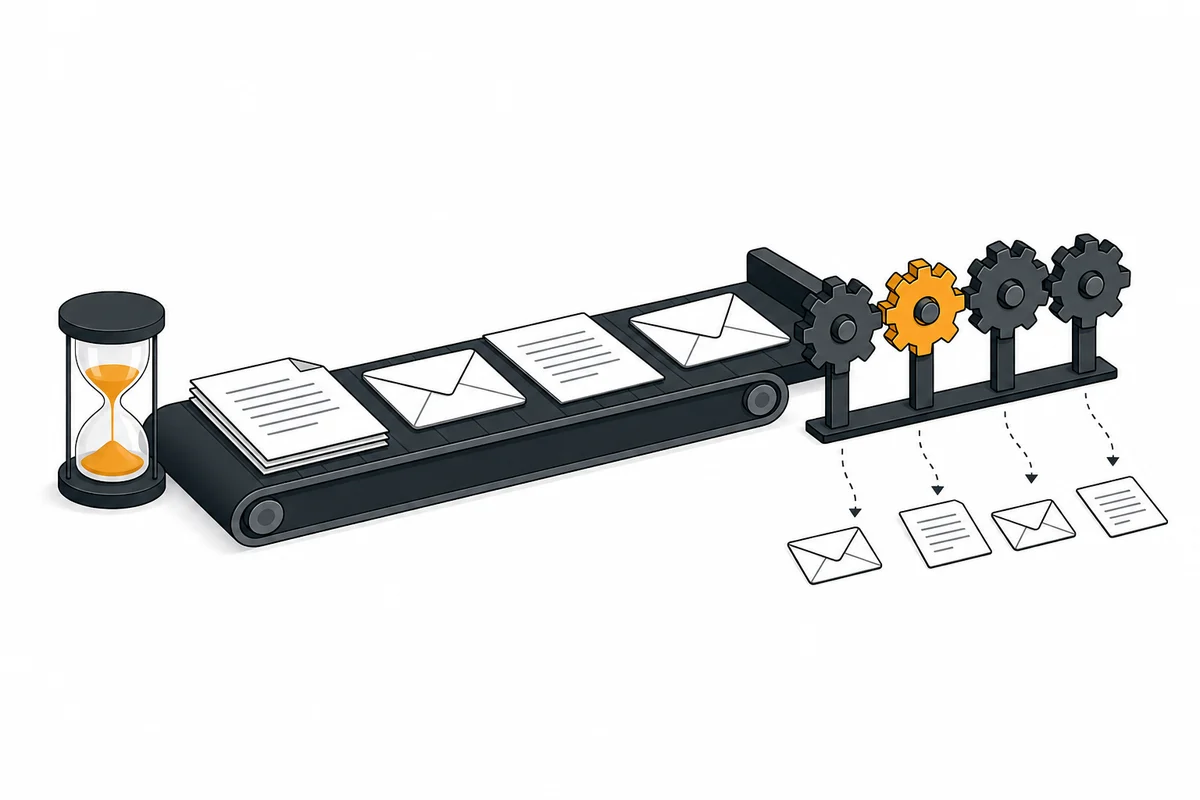
Webhooks go out through background jobs. For quick delivery the manual recommends at least four dedicated background-job:worker processes, restarted once a day.
What to set up right
Four things decide how well the AI features run: workers, hardware, indexing and the model.
Workers come first. AI tasks are picked up by background jobs, and a dedicated worker picks them up the moment they arrive. Since 32.0.7 the command is occ taskprocessing:worker, and the AI overview recommends four or more, in a loop or as a systemd template unit. On All-in-One, a forum thread adds a useful detail: give those units After=docker.service and Requires=docker.service, so they start after Docker when the server reboots. If answers take longer than you expect, this is the first thing we would check.
Hardware comes second. llm2 wants a GPU with 8 GB of VRAM. Context Chat recommends a dedicated machine with 8 GB of RAM and a GPU, or 12 GB without, plus about 500 MB per concurrent request. The AppAPI FAQ names GPUs with CUDA support for the AI apps, and Context Chat also lists AMD through Vulkan. For heavier load, the llm2 page points to an OpenAI-compatible service.
Indexing is the third. Context Chat indexes in the background, and the manual describes which files it takes in. Context Chat 5.5.0 (15 October 2026) added an occ context_chat:reindex command that starts a new crawl on demand, according to its changelog.
Then the model. For Context Agent, pick a model that supports tool calling. Its manual has advice on choosing one.
What to watch
Nextcloud 36 is planned for 17 February 2027, and its release notes will show what it brings for AI. Until then, three checks get the most out of an installation: a running task processing worker, webhook workers if you use events, and a provider per task type that matches the colour you want to write down in your DPIA.
When the built-in Assistant is enough
For many organisations it is. If people want summaries, translations, rewrites and a chat inside the Nextcloud apps they already use, on a model you host or rent, the Assistant with one text provider and four workers does that with nothing extra to run. Context Agent adds actions in Calendar, Deck, Mail and Talk. Context Chat answers questions over Nextcloud files. Memories and skills cover a fair share of what people mean when they ask for agents.

Where Bee Flow adds to Nextcloud
Bee Flow is an addition for work that reaches past Nextcloud: knowledge from sources outside Nextcloud as well, automations that span several systems, or one AI service for several organisations. The Bee Flow app for Nextcloud is how it plugs in. The connector is an ExApp for Nextcloud 33 to 35, open source under the AGPL, and it runs on the same AppAPI and deploy daemon as llm2 or Context Agent. After installation it talks to nothing until an administrator chooses a Bee Flow server, your own or our EU cloud. Installing Bee Flow next to Nextcloud has the steps.
Once connected, it registers webhook_listeners rows for file, tag, calendar, Forms, Tables and Deck events, and each one can start an automation built in Bee Flow (which events, and what they carry). Talk messages arrive through a Talk bot that only sees conversations a moderator added it to. Files gets three menu entries: ask about a file, summarise it, or run an automation on it. Every call runs under the user's own Nextcloud account. If you would rather have us build those automations, see automation as a service.
Knowledge bases show the addition most clearly. A Bee Flow knowledge base can read a Nextcloud folder as the person who added it, and with the connector a change in that folder triggers a refresh. The same knowledge base can hold a OneDrive or Google Drive folder, web pages, tables and meeting notes, and answers cite their source. One Bee Flow server can host several organisations.
The two also work together. The connector registers Bee Flow as a Task Processing provider for Nextcloud's text task types, so you can select it per task type under Administration settings, Artificial intelligence. In the other direction, Context Agent's MCP Config can take Bee Flow's /mcp endpoint. Nextcloud Assistant and Bee Flow covers that split.
You can run Bee Flow as a second stack next to Nextcloud, with at least 2 CPU cores and 4 GB of memory on an amd64 machine and a backup of its own, or in our cloud in the EU, in which case only the connector runs next to your Nextcloud. The Bee Flow for Nextcloud page sums up what the connector does. To try it, install Bee Flow from the Nextcloud App Store and pick a server on its setup page. If you would rather talk through which route fits your installation first, get in touch.